


MigraConnect Case Tracker
4.91.99K Reviews
App Specs
- Version
- 2.8.2
- Updated On
- License
- Free
- Downloads
- 500,000+
- Developer
- Tecso Solutions LLC
- Categories
- Tools
- Platform
- Android
Screenshots
 Analysis by AppCompare
When it comes to navigating the complex world of immigration, having the right tools can make all the difference. That's where MigraConnect Case Tracker steps in. I've had the chance to dive into this app, and here's my experience with it.
A tracker is most useful when it turns waiting into a routine
The most practical idea behind this tool is keeping an immigration case visible instead of making you repeatedly hunt through email, paper notices, and government pages. A case tracker can’t make a decision arrive sooner, but it can give you one place to check what is happening and help you notice when there is something worth following up on. That distinction matters: the value is less about changing the process and more about reducing the mental work of keeping track of it.
I would treat the app as a companion to official case information, not as a replacement for it. When a status affects a deadline or a legal step, I’d still compare what I see in the app with the relevant official notice and any guidance from an attorney or accredited representative. This is a sensible habit with any third-party immigration tool, especially because a status summary is not the same thing as legal advice or a complete explanation of what to do next.
How I would fit it into a normal week
Rather than checking every few minutes, I’d choose a regular moment to review the case, such as when sorting mail or planning the week. That makes the tracker useful without letting it become another source of anxious refreshing. If a notice arrives by mail, I’d read the notice itself carefully, then use the app as a convenient place to keep tabs on the case. If the app’s information and a formal notice seem inconsistent, the notice and qualified advice deserve priority.
A small workflow can make the process less scattered: keep a short personal note of the last action taken, the date of a mailed notice, and the question you need answered next. That note is not a substitute for case documents, but it can help you have a more focused conversation with a representative. It also prevents the common problem of remembering only that “something changed” without remembering what you were waiting for.
Who may prefer a different kind of help
This is most appealing to people who want a convenient way to follow an existing immigration case and who are comfortable checking information themselves. It may be less suitable as a first stop for someone who needs an explanation of eligibility, help choosing a form, or advice about how to respond to a complicated notice. For those needs, a qualified legal professional or an official government resource is a better fit than any tracking app.
It also won’t be equally useful to everyone in a household. One person may be responsible for a case while relatives simply want occasional updates; another family may have several people handling paperwork. Before sharing sensitive case details or relying on a shared routine, decide who is responsible for checking notices and communicating important changes. A tracker can support that routine, but it cannot settle who should act or make a legal decision for you.
Worth Reading Before You Choose

EA SPORTS FC Mobile 26 Is a Bigger Football Game, but It Takes Time

Flipboard Shows What News Apps Must Do Beyond the Feed

Switching to Android Auto Means Rethinking Your Driving Routine

Google Calendar Makes a Crowded Week Easier to Manage

Ludo King Makes the Most of the Minutes Between Plans

Baby Panda World Brings Quick Play to Modern Phones, but Its Game Library Feels Busy
Compared with checking official case pages directly, an app can be more convenient for keeping the task close at hand. The trade-off is that a third-party app adds another place to check, so it should not become the only source you trust. Compared with a paper folder or spreadsheet, it may feel easier to revisit on a phone, while a folder remains useful for original notices and documents. I’d use each for what it does best rather than expecting one tool to handle the entire immigration process.
First Impressions
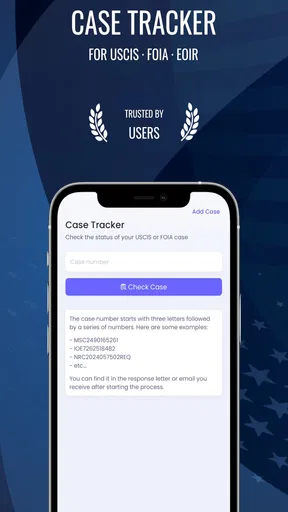
Upon opening MigraConnect Case Tracker, the first thing you'll notice is its clean and intuitive interface. It's designed to be user-friendly, which is a relief when dealing with something as intricate as immigration paperwork. The app's layout is straightforward, with all major functions easily accessible from the main screen.
Features That Stand Out
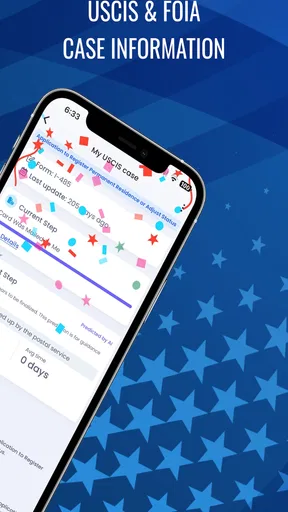
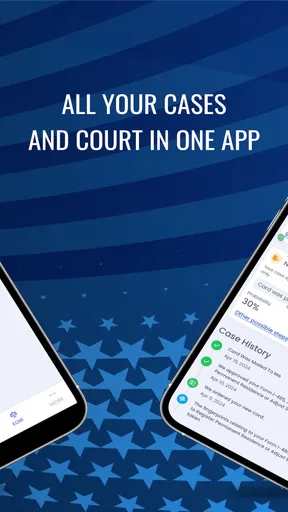
The app offers a range of features that are both practical and essential. One of the standout options is the ability to track your immigration case in real-time. This feature is a game-changer for anyone who's ever been in the dark about the status of their application. You get instant updates, and the peace of mind that comes with knowing exactly where you stand is invaluable.
Another handy feature is the document storage capability. You can upload and organize all necessary documents within the app. No more scrambling to find that one elusive form; everything you need is right at your fingertips. Plus, the app ensures your data is secure, so you don’t have to worry about privacy issues.
Getting the Most Out of the App
One tip I found useful is setting up notifications. The app allows you to customize alerts for different stages of your case. This is particularly helpful if you tend to forget deadlines or need reminders about upcoming appointments. The notifications are timely and ensure you stay on top of everything.
The app also offers a community support feature. I found this to be a great addition, as it connects you with others who might be going through similar experiences. You can share tips, ask questions, and even get moral support from a community that understands the challenges of immigration processes.
Ease of Use
What impressed me most was the app's ease of use. Even if you're not tech-savvy, navigating through this case tracker is a breeze. The developers have done a stellar job of making sure the app is accessible to everyone, regardless of their technological expertise.
The app also performs smoothly, with no noticeable glitches or lag. This reliability is crucial, especially when you're dealing with something as important as immigration paperwork.
Practical checks before you rely on it
For a realistic everyday example, imagine you are balancing work, family responsibilities, and a pending case. You receive a paper notice, put it somewhere safe, and then get busy. A quick check of the tracker during your weekly paperwork routine can help you remember to revisit the case, while the original notice remains the document you read for its actual instructions. The useful habit is pairing a digital check with a physical record, not assuming that a notification tells the whole story.
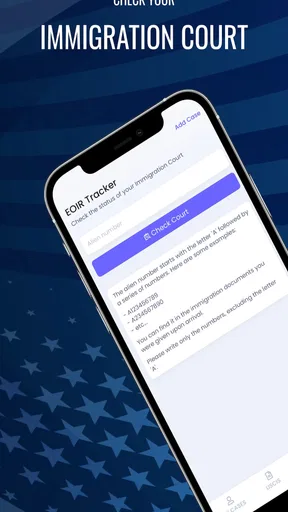
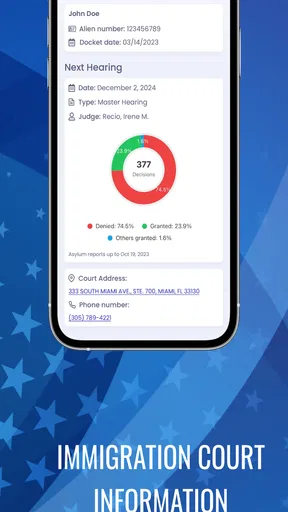
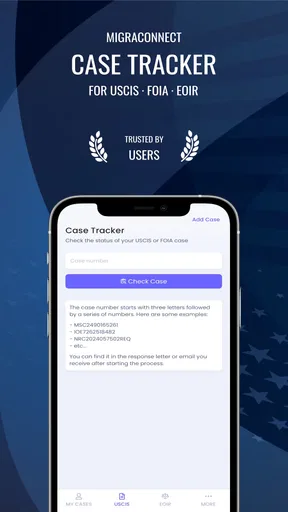
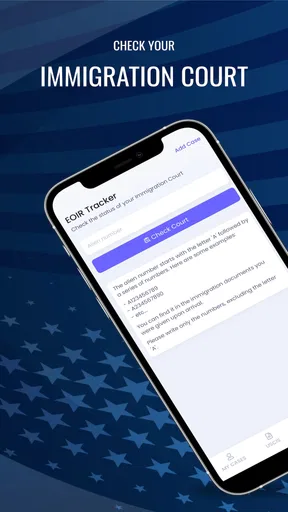
There are a few questions I’d settle before making this part of my routine. First, does the particular case type I need to follow fit the app’s tracking options? The app’s focus includes USCIS cases, immigration court information, and FOIA requests, so I’d check that my specific task belongs in one of those areas. Second, which information should I keep in the app and which should remain in a secure personal file? I’d avoid putting more sensitive material into any digital service than I need to use its functions.
I’d also decide how to handle alerts before turning them on. A reminder is helpful when it prompts a deliberate check, but frequent notifications can make an already stressful wait feel more intrusive. If I were sharing responsibility with a family member, I’d agree on who checks the case and how to pass along important information, rather than having everyone interpret updates independently. These small choices make a tracker more useful without treating it as an authority.
Who gets the most value from this tool
As a tools app from Tecso Solutions LLC, it is aimed at a specific, high-stakes task rather than general productivity. It is free to install, rated for Everyone, and has an average rating of 4.9 from around 42,000 ratings, with over 100,000 installs. Those figures suggest that many people have found a reason to try it, but they don’t guarantee that it will suit every case or replace professional guidance.
The app is currently at version 2.7.4 and works on Android 6.0 and later. It is free to download, though in-app purchases are listed from $1.99 to $549.99 per item. I’d look carefully at what a paid option covers before buying anything, and compare it with what I actually need; someone who only wants occasional status checks may have different priorities from someone managing a more involved process.
That range of potential costs is also a reason to pause before treating every extra as necessary. I would first identify the task I want help with, then see whether the free experience addresses it. If a purchase is being considered, I’d make sure I understand its purpose and whether it solves a real gap in my workflow, rather than buying during a stressful moment simply because the case feels urgent.
Where convenience has limits
The biggest trade-off is that an app can organize attention but cannot remove uncertainty from immigration proceedings. A status change may not explain what it means for an individual situation, and a tracker cannot replace reading official correspondence. For a straightforward check-in, that may be an acceptable balance. For a complicated court matter, a deadline, or a decision about what to submit, I would turn to the official notice and a qualified source of help.
I’d also keep expectations measured around the idea of “real-time.” Digital case information is only useful when the underlying information has changed and the app reflects it; a quiet screen does not necessarily mean that nothing is happening behind the scenes. I would not use the absence of a new alert as proof that a deadline has moved or that no action is required. The safest approach is to follow the instructions on official documents and use the tracker as a convenience for checking, not as a promise about timing.
Privacy deserves the same practical attention as convenience. The app’s document storage may help keep materials together, but immigration paperwork can contain personal details. I would use a device lock, think carefully before sharing access, and keep important originals and backups somewhere I control. Those are sensible precautions for any app handling sensitive documents; they do not mean the app is unsafe, only that the user should be deliberate about what they store and who can see it.
Final Thoughts
Overall, this case tracker is most compelling when the task is simple and specific: checking on a case, keeping relevant information easier to reach, and creating a steady routine around a process that can otherwise fade into the background. Its focus on USCIS cases, immigration court information, and FOIA requests gives it a clearer purpose than a generic notes app, while the option to keep documents and alerts together can reduce the number of places I need to look.
I would recommend giving it a try if you want a mobile companion for following an immigration matter and are comfortable verifying important instructions through official notices. I would skip relying on it alone if you need legal interpretation, help preparing a complicated response, or certainty about when a decision will arrive. Used with realistic expectations, it can make the administrative side feel more manageable; it cannot make the underlying process predictable.
Pros
- User-friendly interface for easy navigation.
- Real-time updates keep users informed.
- Secure login ensures data privacy.
- Multi-language support aids accessibility.
- Customizable notifications for case changes.
Cons
- Occasional glitches in notification delivery.
- Limited offline functionality.
- Requires stable internet connection.
- Subscription needed for premium features.
- Some features may feel redundant to users.
FAQs for MigraConnect Case Tracker
What is MigraConnect Case Tracker?
MigraConnect Case Tracker is a user-friendly application designed to help individuals track their immigration cases. It provides real-time updates, document management, and personalized notifications to keep users informed about their case status and important deadlines. The app aims to simplify the complex immigration process by offering a centralized platform for all immigration-related information.
Is MigraConnect Case Tracker available for both Android and iOS?
Yes, MigraConnect Case Tracker is available for download on both Android and iOS platforms. Users can find the app on the Google Play Store for Android devices and the Apple App Store for iOS devices. This ensures that users can access the app’s features regardless of their preferred device.
How does MigraConnect ensure the security of my personal information?
MigraConnect Case Tracker prioritizes user privacy and data security. The app uses advanced encryption protocols to protect personal information and secure connections to prevent unauthorized access. Additionally, the app complies with data protection regulations and offers users control over their data through customizable privacy settings.
What features does MigraConnect offer to help with case tracking?
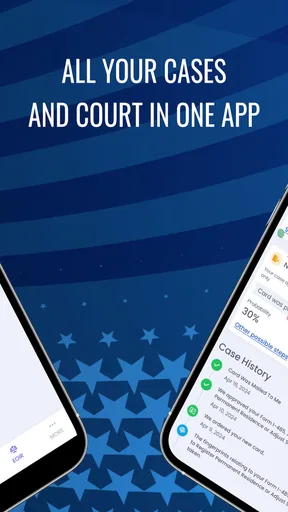
MigraConnect Case Tracker offers several key features to aid users in tracking their immigration cases. These include real-time status updates, personalized notifications on case progress, document storage and management, and a comprehensive timeline of case events. These tools are designed to keep users informed and organized throughout the immigration process.
Is there a cost associated with using MigraConnect Case Tracker?
MigraConnect Case Tracker offers both free and premium versions. The free version includes basic case tracking features, while the premium version provides enhanced functionalities such as advanced notifications, priority customer support, and additional storage for documents. Users can choose the version that best fits their needs and budget.


